

Sign up today for free. No credit card down.Get started

    What we solve

    For business owners & accounting firms · 1:19

    DocStreamAI: AI assisted bookkeeping for entire firms and businesses

    In about a minute, see what the future of bookkeeping looks like for your whole firm or business.

    Read the transcript: DocStreamAI: AI assisted bookkeeping for entire firms and businesses

    Welcome to DocStreamAI. We remove the need to collect email based invoices, receipts, and credit memos from all your clients. This includes the owner and all their employees. All their documents either get centralized into our dashboard for you or synced directly to your accounting software, whichever is your preference.

    Every client gets their own private space. Your whole team can join, up to 30 people, at no extra cost. Adding a client takes about a minute. You set up their space and connect their QuickBooks or Xero, then invite them and anyone on their team.

    Here's what your client sees. They get an email invite and click accept. They create their login or continue with Google. Then they connect their Gmail or Outlook.

    Once they do, DocStreamAI takes it from there. Every invoice and receipt that lands in their email gets grabbed automatically. This includes the owner and everyone on their team. You choose: post them to the books automatically or hold every one for your review. You see every invoice and receipt in one place. It syncs with QuickBooks and Xero so their books stay up to date. And your controls make sure every document is right before it goes in. So you stop chasing clients for documents.
    Interactive demo

    Bookkeeping and accounting firms, watch both tours. The business owner view is what you'll see when you're managing a client's workspace.

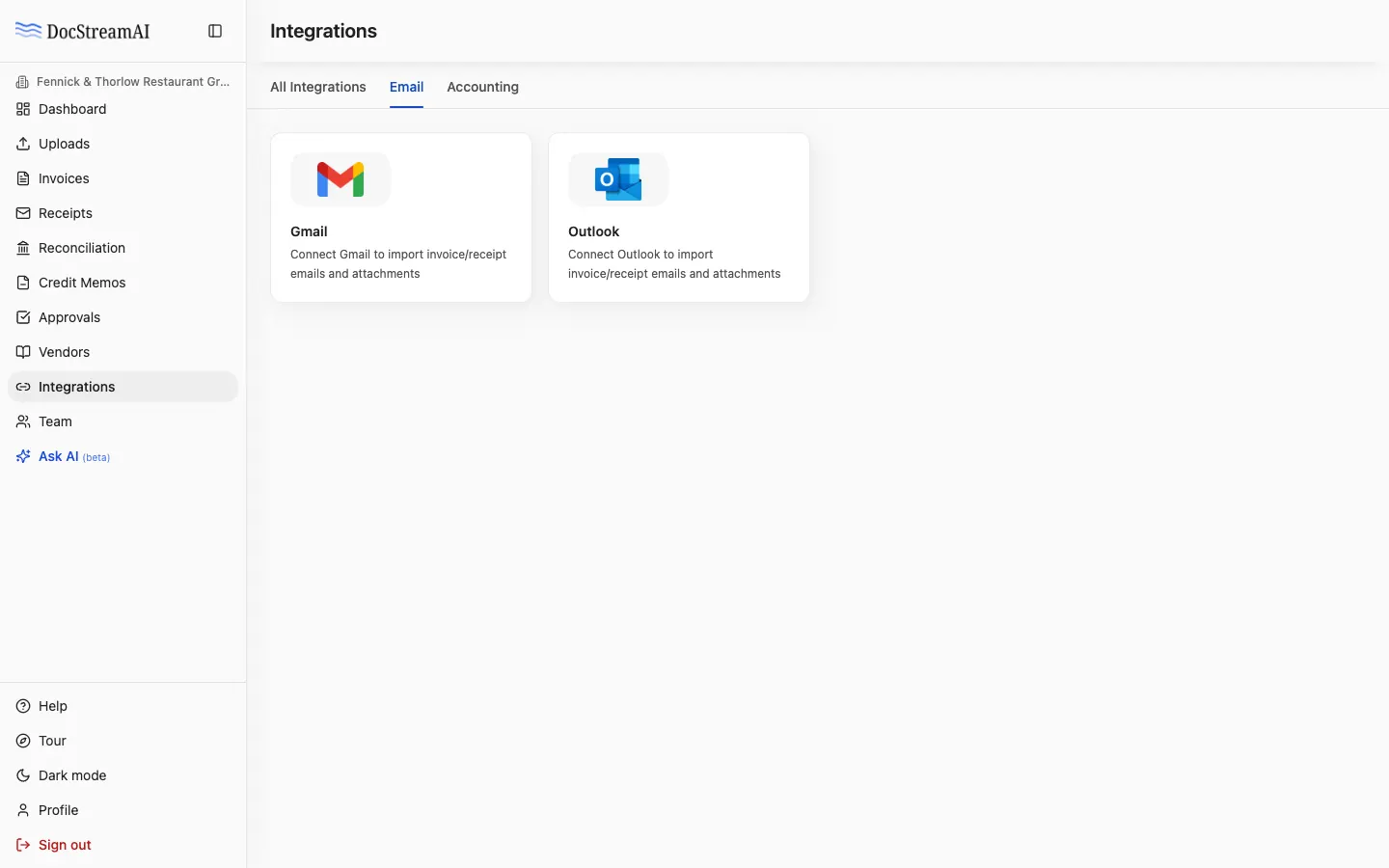
    Integrations page with Gmail and Outlook connected
    01/20

    Supported documents

    1:04

    Every document format we support

    A PDF, a nine-page bill, four invoices in one scan, three attachments on one email, a phone photo, a receipt written in the email itself, credit memos. From Gmail, Outlook, your forwarding address or drag and drop, into QuickBooks or Xero.

    Read the transcript: Every document format we support

    Documents come in by email in every imaginable format. We've seen it all. Here's every situation we support.

    A PDF on an email? Easy. Nine pages long? It reads every page and makes one bill. Four invoices jammed into one PDF? It splits them into four bills. And if it can't tell where one ends, it holds it for you to check. Three attachments on one email? It works out which pages belong together. A photo of a receipt from your phone? Email it or upload it. Some receipts don't come with a file at all. Turn on one setting and the email itself becomes the receipt. Credit memos too.

    They come in from Gmail, Outlook, your own forwarding address, or you just drag them in.

    In QuickBooks, invoices become unpaid bills. Receipts attach to the charge that's already there or become a new expense. Credit memos become vendor credits. In Xero, it's a draft bill, the receipt attached or posted as spend money and a draft credit note.

    However it shows up, it lands in QuickBooks or Xero.

    QuickBooks Online Canada

    For QuickBooks Online Canada · 1:02

    Canadian sales tax in QuickBooks Online

    HST, GST, PST and QST recorded on your bills, receipts and credit memos, tested in every province and territory. Plus how bills from U.S. vendors are handled, using the tax codes already in your QuickBooks.

    Read the transcript: Canadian sales tax in QuickBooks Online

    Running QuickBooks Online in Canada? DocStreamAI now records the sales tax on your bills, receipts, and credit memos.

    HST in Ontario, GST and PST in B.C., GST and QST in Quebec, and the rest of Canada's 13 provinces and territories. Our tax code handling is tested across every province and territory.

    Lots of Canadian businesses buy from the U.S., so here's how those bills are handled. A U.S. bill with no tax posts with no tax. We never add GST. State sales tax goes into the cost since you can't claim it back. U.S. software and services post as billed, nothing extra added. And if a U.S. vendor charges 5%, we flag it so you can confirm it's really GST.

    It uses the tax codes already in your QuickBooks, matched to the cent, and never creates new ones.

    The core of DocStreamAI stays the same from intake through extraction. The only change is tax handling for Canada.

    Security

    1:59

    What happens when you connect your inbox

    OAuth sign-in on Google's own page, what the Gmail permission is used for, which emails are skipped without AI ever reading them, encryption and AWS Secrets Manager, and our independent CASA Tier 2 security assessment.

    Read the transcript: What happens when you connect your inbox

    Here's exactly what happens when you connect your inbox to DocStreamAI.

    The connection

    First, the connection. DocStreamAI connects to your Gmail and your QuickBooks through OAuth2. That's the sign in standard Google and Intuit use to let apps connect without ever seeing your password. You approve access on their own page, and you can remove it any time.

    For Gmail, the permission is called gmail.modify. We use it for two things: reading new emails as they come in and adding labels like Invoice, Receipt, Submitted and Unsubmitted so you can see right in Gmail what's been handled. On Outlook, the same access is called Mail.ReadWrite.

    Your emails

    Next, your emails. Plain emails with no files or images are skipped the moment they arrive. No AI reads them. Nothing gets saved. Everything else gets checked. Attachments, inline images, and emails with several files at once. Turn on HTML receipts and we also read receipts written right in the email.

    Invoices, receipts, and credit memos get picked up. Anything else is let go. What we keep is stored in our database, where all your data is encrypted.

    The keys

    Finally, the keys. Every sensitive password and connection key behind the app lives in AWS Secrets Manager. It's the vault Amazon built for exactly this and the gold standard for storing secrets.

    Independently tested

    And all of it has been checked from the outside. Google requires an independent security assessment, called CASA Tier 2, before an app can use gmail.modify. Ours was done by TAC Security. It started with a web penetration test called DAST where testers attack the live app the way a hacker would. Then a 55 question review where we showed the evidence behind every security decision in the app.

    Your inbox stays yours. We just take the paperwork.